Make every developer’s IDE behave the same — automatically.
Keep JetBrains IDE behavior consistent per Git project — automatically enforced while they work.
No shared folders. No manual setup. No more Git noise.
Start Free Trial — 30 Days Free
No credit card required · Set up in under 5 minutes
The Problem
What is IDE Configuration Drift?
Every engineering team starts aligned. Same IDE, same standards, same setup.
But alignment doesn't maintain itself.
The Drift Spiral
None of this looks critical.
Until it is.
Formatting noise: Code reviews filled with style changes
CI reformats: Unexpected file changes during builds
Inconsistent warnings: Issues appear on one machine, not another
Legacy friction: "Works on my machine" creeping back
This is IDE Configuration Drift
Small differences → Constant friction → Gradual chaos
It creates Git noise and subtle inconsistencies — not because developers are careless, but because nothing actively guarantees IDE configuration consistency. And it gets worse as the team grows.
The Solution
Consistency — Automatically Enforced
Most teams rely on documentation, .editorconfig, shared .idea folders, and CI checks. But none guarantee IDE configuration consistency. They rely on discipline.
Discipline does not scale.
Centralized
One dashboard to rule all IDE configurations across every project.
Automatic
Settings propagate to all developers automatically, without manual steps.
Self-healing
If a setting drifts, it's corrected automatically — on file focus.
Zero friction
New developers are fully configured from day one, automatically.
Consistency becomes guaranteed — not optional.
The Cost
The Hidden Cost of Configuration Drift
Configuration inconsistencies seem minor.
But they accumulate.
One review full of formatting noise.
One CI reformat per week.
One onboarding setup mistake.
One hidden SDK mismatch.
Individually small.
Collectively expensive.
If configuration drift costs even just a couple of tiny frictions per week,
it already exceeds the cost of preventing it.
See it in action
Watch drift disappear
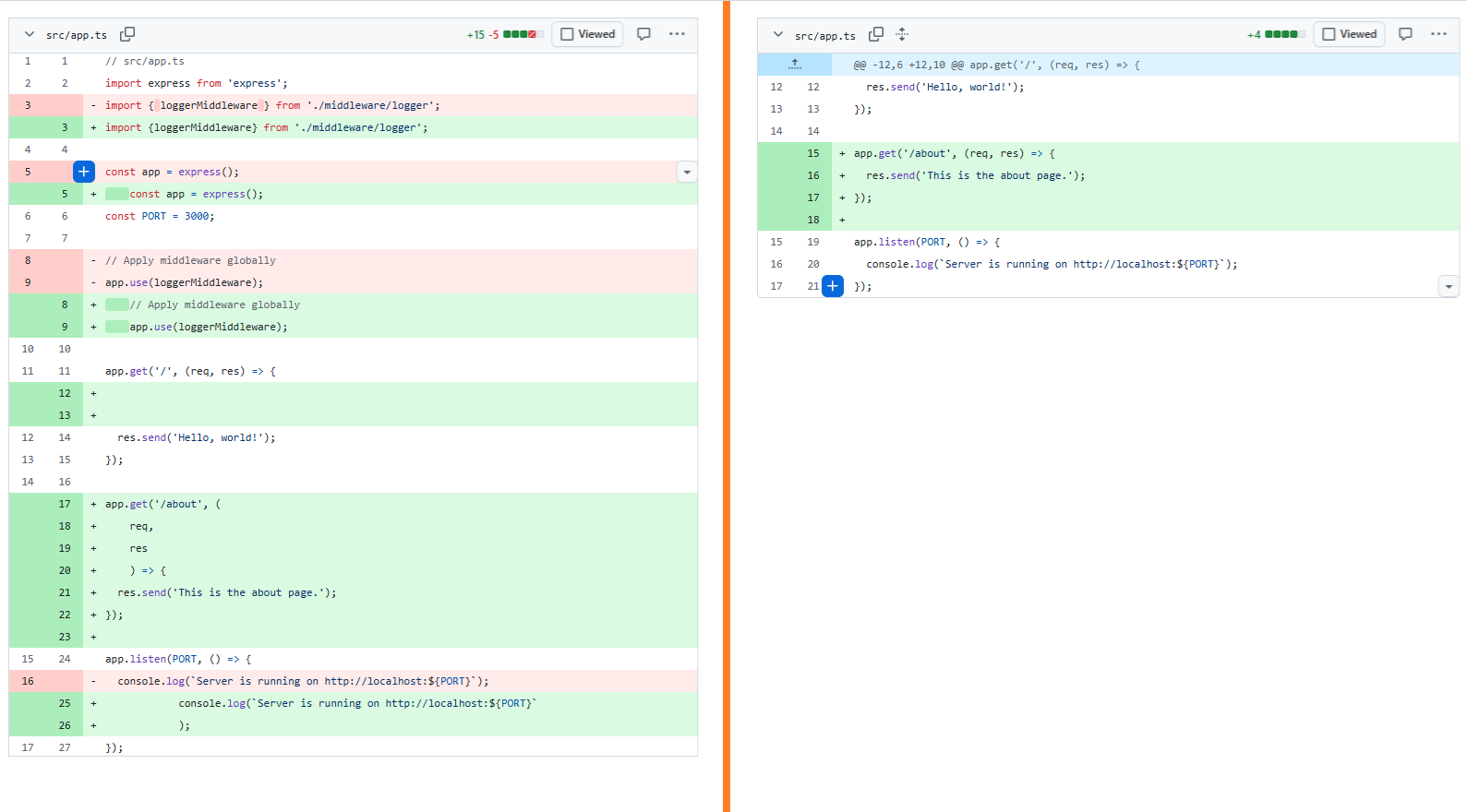
Dashboard → IDE sync → self-healing in seconds.
Demo step 1
Architecture
Git-Based Configuration
Configuration tied to your Git repository — not your IDE project.
Traditional approach
Binding configuration to the .idea folder creates:
Konfigomatik
Settings attached to your Git project identity. Your settings follow your code.
Your configuration becomes portable, stable, and drift-proof.
Comparison
Why Enforcement Beats Detection
Linters and CI detect problems after code is written.
Konfigomatik prevents configuration drift before it happens.
| Feature | EditorConfig | Shared .idea folder | Linter + CI | IDE Provisioner | Konfigomatik |
|---|---|---|---|---|---|
| Enforces IDE settings (beyond formatting) | ❌ | ⚠️ | ❌ | ✅ | ✅ |
| Prevents configuration drift | ❌ | ❌ | ❌ | ⚠️ | ✅ |
| Git-scoped configuration | ❌ | ❌ | ❌ | ❌ | ✅ |
| Self-healing | ❌ | ❌ | ❌ | ❌ | ✅ |
| Available for small teams (< 50 devs) | ✅ | ✅ | ✅ | ❌ | ✅ |
Show full comparison(all features)
| Feature | EditorConfig | Shared .idea folder | Linter + CI | IDE Provisioner | Konfigomatik |
|---|---|---|---|---|---|
| Centralized configuration control | ❌ | ❌ | ❌ | ✅ | ✅ |
| Setup complexity | Low | Medium | High | High | Very Low |
| Ongoing maintenance required | Medium | High | High | Medium | Minimal |
| Works without merge conflicts | ⚠️ | ❌ | ✅ | ✅ | ✅ |
| Instant onboarding alignment | ❌ | ⚠️ | ❌ | ✅ | ✅ |
Trust
Built with Engineering Teams in Mind
Your source code never leaves your machine.
What we never touch
Only IDE settings
Only JetBrains IDE configuration metadata is synchronized.
Your intellectual property stays yours
Your intellectual property remains fully private and never leaves your machine.
Who it's for
Built for teams that ship at scale.
Not for hobby projects. Konfigomatik is designed for engineering teams that care about consistency.
Scale beyond 10 developers
Care about consistency
Want instant onboarding
Avoid configuration chaos
Stop relying on discipline. Start relying on automation.
Whether you run Java, Kotlin, JS, PHP, Go, Python, or Rust — IDE configuration should not depend on individual preferences.
Frequently Asked Questions
Everything you need to know about Konfigomatik
Isn’t this overkill for a small team?
↓
How is this different from sharing a .idea folder?
↓
What happens if a developer changes a setting manually?
↓
What data is sent to the Dashboard?
↓
Is this a "Bossware" or tracking tool?
↓
Can developers override project settings?
↓
More questions
Does it work with offline development?
↓
Is this comparable to JetBrains IDE Provisioner?
↓
How does it handle multi-repo projects?
↓
Ready to take control?
Stop configuration drift before
it slows your team down.
Bring consistency to your IDE configuration.
Start Free Trial — 30 Days Free